CNFans Spreadsheet: one product link, carried from the catalog to your parcel
Find a product, keep its original listing link, and record the exact option before sending it to CNFans. A copied URL is the start of an order record; size, colour and payment details travel alongside it.
Sixteen categories to start your shortlist
Choose a category, open a listing and confirm the exact option before ordering. Women’s clothing opens a keyword search.
 SneakersCheck foot length, not only the size label.Category
 Jackets and coatsAllow for layers and parcel volume.Category
 HoodiesCompare flat chest width and length.Category
 T-shirtsCheck the exact print and size.Category
 JeansRead waist and inseam measurements.Category
 SweatpantsCheck waistband, cuff and leg length.Category
 Women’s searchAdd a garment word to narrow the search.Search results
 Sports jerseysConfirm version, size and lettering.Category
 BagsCompare dimensions and strap fittings.Category
 HatsCheck head size and adjustment.Category
 BeltsMeasure buckle to the hole you use.Category
 EyewearCheck lens width and bridge size.Category
 JewelryConfirm material, finish and measurements.Category
 WatchesRead case size and strap length.Category
 PerfumeCheck bottle size and liquid restrictions.Category
 ElectronicsConfirm plug type and battery restrictions.Category
What is a CNFans Spreadsheet?
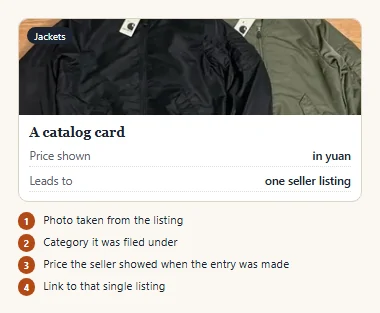
A catalogue card helps you discover a product; the seller’s listing identifies what can actually be ordered. Browse the sixteen categories, then save the listing link together with the exact style, size and price you approved.
CNFans buys and forwards; the link identifies the item
A shopping agent purchases your chosen option, receives it in China, photographs it and arranges the international parcel. The URL identifies a listing, but its option menu still decides which item is bought.
CNFans showed maintenance on 20 October 2026. Read the agent overview and service limits · Check dated updates
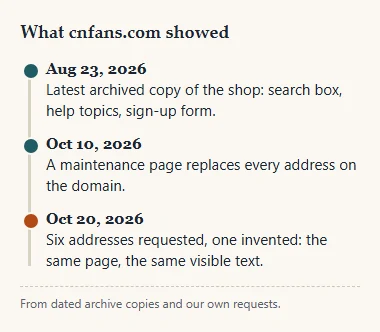
Six cnfans.com addresses requested on October 20, 2026, one of them invented, all served one maintenance page, its visible text identical to the October 10 copy. Ordering there is paused; the catalog and every guide here still work.
Inspect cnfans.comWhy use the link reader?
It extracts a supported listing number and gives you a short carry note. That helps spot a copied share message or a wrong digit before an order. It cannot confirm stock, seller trust, a price or the selected size.
Check a link · Understand item numbers · Judge the catalogue and agent
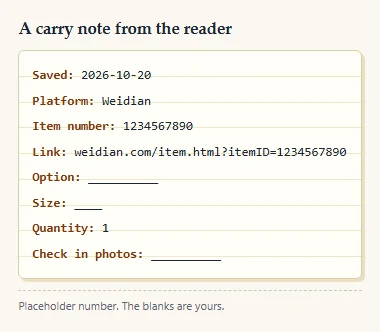
Carry three records through the buying process
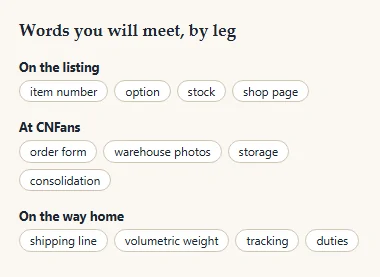
Open the listing, choose its option, pay for the purchase, inspect the warehouse photos and then choose the parcel. Save the same item number at every step; colour and size need separate notes because they are not reliably encoded in the link.
Before the purchase
Listing link + exact option + size + agreed price. Keep the seller’s option photo beside this record.
At the warehouse
Order number + arrival photos + any unresolved difference. Ask a specific question before arranging shipment for packing.
For the parcel home
Included orders + chosen line + final shipping charge + tracking number. Keep this payment separate from the purchase.
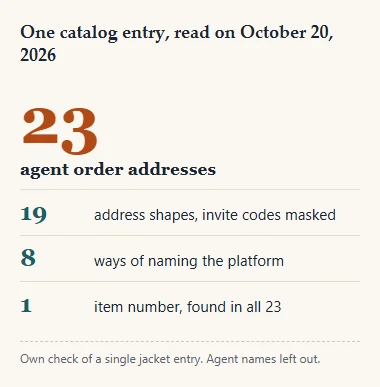
Help for the next hand-off
Keep the two payments separate in your budget and check the order status before asking for cancellation. A clear message includes the listing number, selected option, the problem and the action you need.