The link reader: paste a link, get its item number and a carry note
Built for the gap between finding a product and ordering it. Paste what you have; the reader shows which part of it matters.
Paste, read, copy the note
Paste a listing link, a catalog entry address, an agent's order address or a whole share message. The examples fill the box with made-up links in real shapes.

Operating the link reader
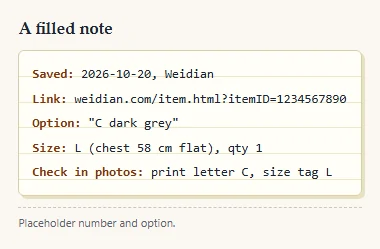
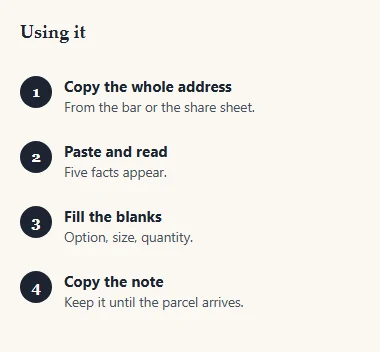
How to use the tool comes down to one rule: give it the whole address. Copy it straight from the browser bar, or use the share button in an app and copy the entire message. Paste it into the box and press Read it. You get five facts: what kind of address it was, the platform, the item number, a rebuilt plain link and the extras that were dropped.
Below them sits the relay strip with what to do at each leg, then the carry note. Fill in the option name exactly as the seller wrote it, your size and the quantity, and copy the note somewhere you will find it again: your phone's notes, a message to yourself, the remark field when you order.
If the reader shows a warning, read it before the facts. Warnings flag the cases where the rebuilt link could point at the wrong product: more than one number in the text, a number of an unusual length, a short link or a bare number.
What it recognizes
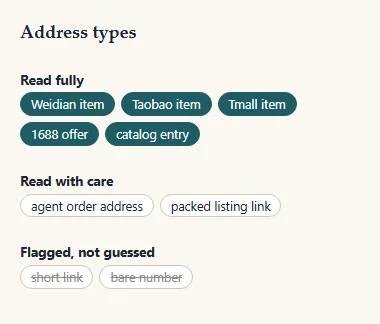
The reader knows the address shapes of Weidian item pages, Taobao and Tmall item pages, 1688 offer pages and this catalog's entry addresses. For agent order addresses it looks for a long number and a platform marker, and if the address carries a whole listing link inside it, it unpacks that first.
Short links and bare numbers get a warning instead of a guess. A short link hides the number behind a redirect the reader does not follow; a bare number has no platform attached, and a Weidian number pasted as a Taobao link would point at an unrelated product.
For agent addresses, the platform guess comes from markers such as weidian, WD or micro in the address. When no marker is present, the reader shows the number but leaves the platform blank instead of guessing.
Deliberate limits of the reader
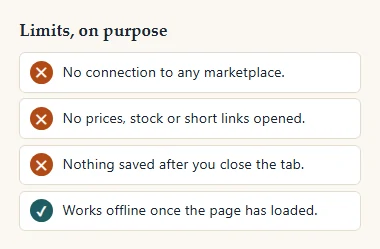
It does not go online. Nothing you paste leaves the page, nothing is stored, and no listing is fetched, so it cannot tell you a price, whether stock remains, or whether the listing still exists. Those answers live on the listing, and the note leaves a line for the price you saw and the date.
It also cannot judge the product. A clean link to the wrong item is still the wrong item, which is why the relay strip sends you back to the listing photos before anything else.
If you want to confirm a listing is alive, open the plain link the reader gives you. A live listing shows photos, a price and an option menu; anything less is a reason to go back to the catalog entry.
Taking the carry note to CNFans
When ordering reopens at CNFans, the note maps straight onto the order form. The plain link goes in first; the option line tells you which menu entry to pick; the size and quantity fill themselves in from what you wrote. Anything left over belongs in the remark field.
Keep the note after ordering. It is what you compare the warehouse photos against, and if a seller swaps or refunds an item, the number on it settles what you asked for.
The note is plain text, so it pastes cleanly into a phone note, an email or the remark field. Nothing about it is tied to CNFans; it works the same with any agent that takes a listing link.